
Introduction to Chromebooks
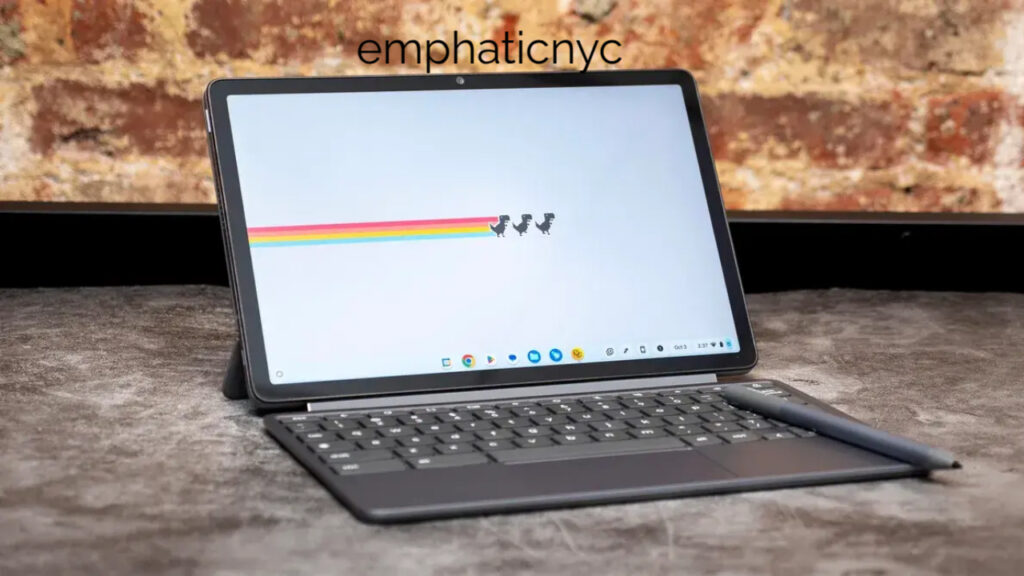
A Chromebook is a laptop or tablet that runs on Google’s ChromeOS, a lightweight operating system designed for simplicity, speed, and security. Unlike traditional laptops, which rely heavily on desktop-installed applications, Chromebooks are designed around the use of web-based applications and cloud storage. The operating system integrates seamlessly with Google’s suite of applications such as Gmail, Google Docs, Sheets, and Drive. Chromebooks have gained significant popularity in education, business, and personal use because they are affordable, efficient, and user-friendly. Since their introduction in 2011, Chromebooks have evolved into versatile devices capable of running Android apps, Linux programs, and web applications, making them a serious alternative to Windows and macOS laptops.
History of Chromebooks
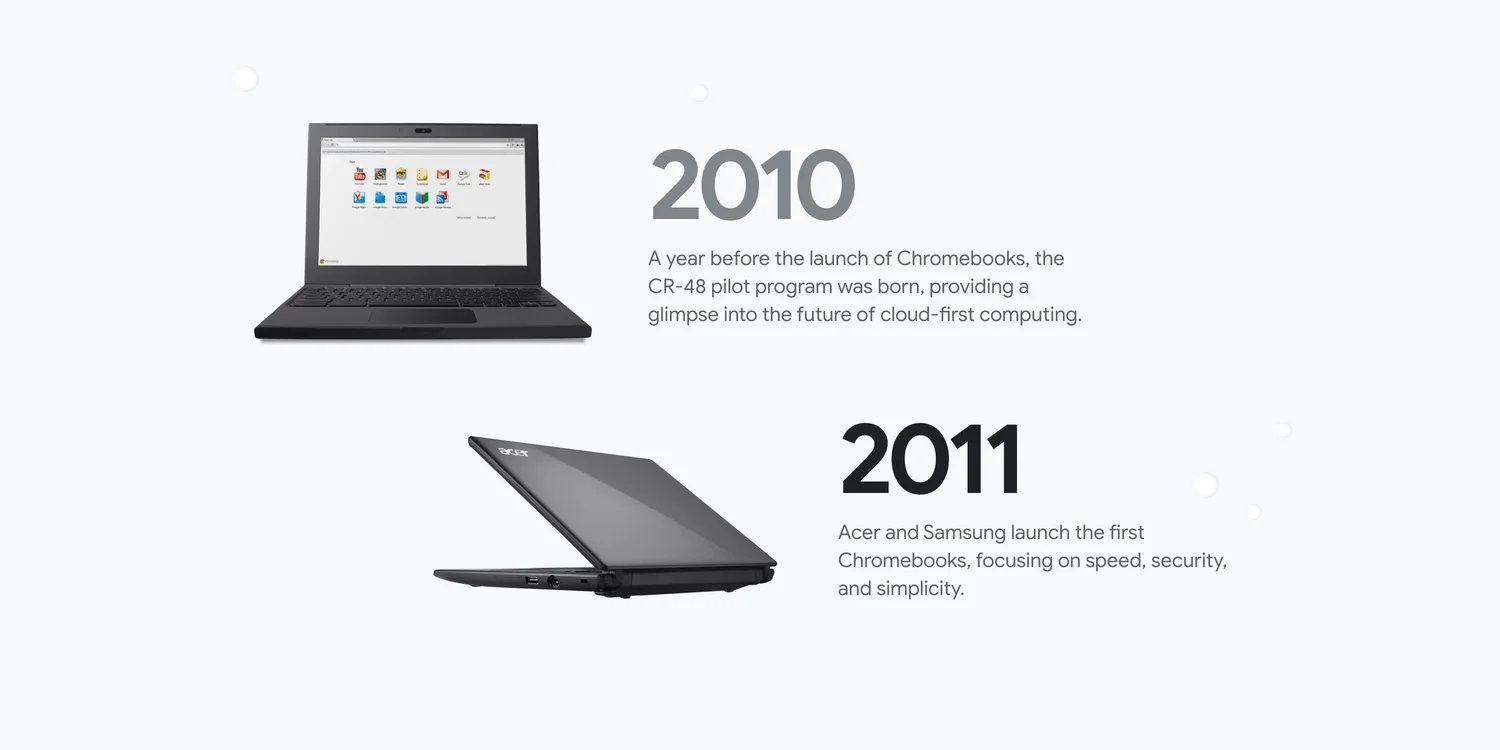
The concept of the Chromebook was introduced in 2011 by Google in partnership with manufacturers such as Samsung and Acer. The original goal was to create an affordable, fast-booting device optimized for internet connectivity. Early Chromebooks faced criticism for being overly dependent on an internet connection, leading to the perception that they were merely browsers in a laptop shell. However, over time, Google enhanced ChromeOS to include offline functionality, Android app compatibility, and even Linux support. The market for Chromebooks expanded rapidly in the educational sector, particularly in the United States, where schools adopted them due to their low cost, easy maintenance, and integration with Google Classroom. Today, Chromebooks are produced by leading brands such as HP, Lenovo, Asus, Acer, and Samsung, with models that range from budget-friendly devices to high-end premium machines like the Google Pixelbook.
Key Features of Chromebooks
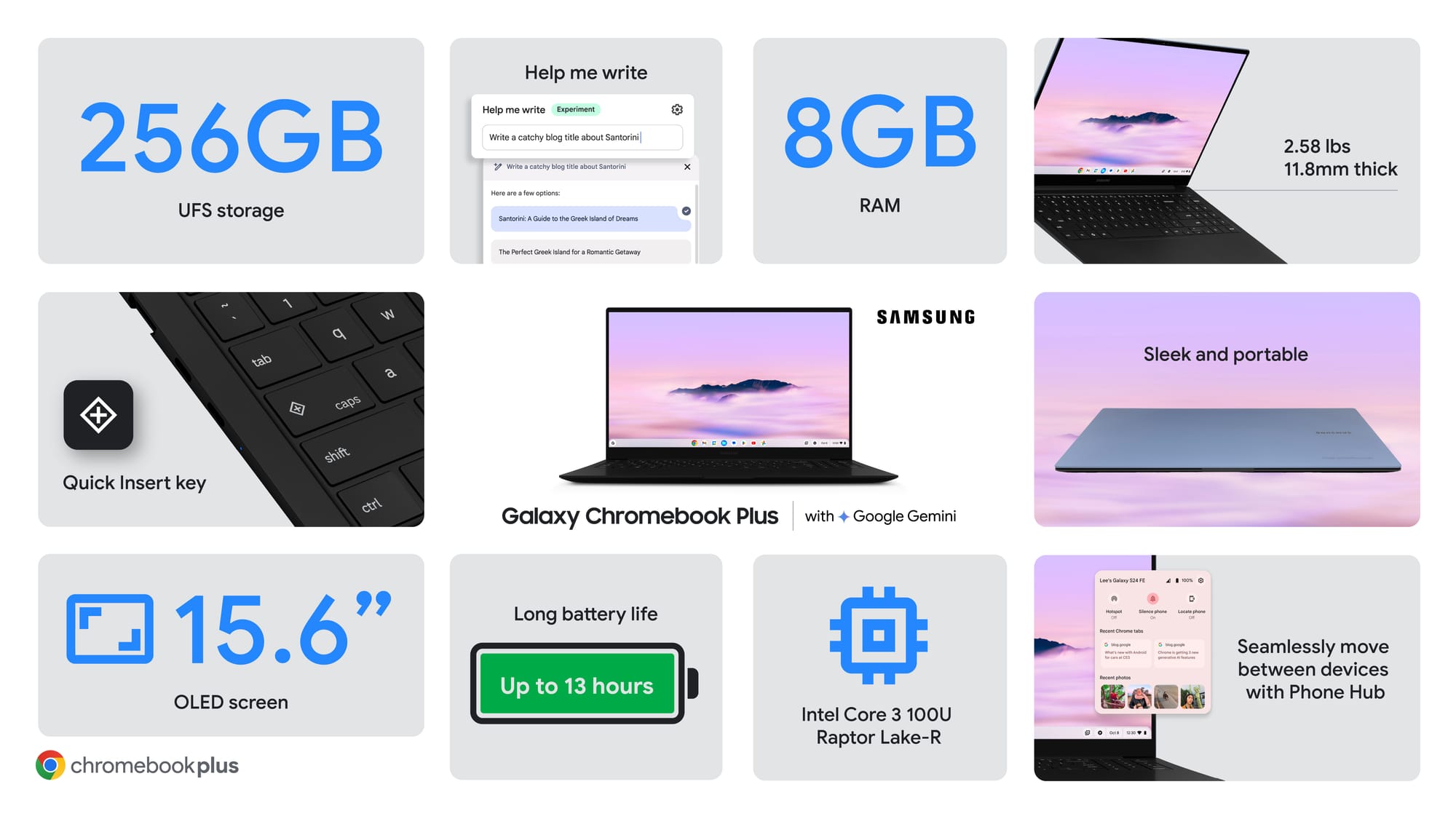
Chromebooks are known for their distinct set of features that separate them from traditional laptops. They use ChromeOS, which is built around the Chrome browser but now includes the ability to run Android and Linux applications. Security is a major highlight, with built-in virus protection, verified boot processes, and automatic updates that require no user intervention. Chromebooks are lightweight and portable, often delivering excellent battery life that can last between eight and twelve hours. Cloud integration is central to the Chromebook experience, with Google Drive storage ensuring that documents and files are synced across devices. Unlike traditional laptops, Chromebooks do not require heavy hardware to function, making them affordable and efficient for everyday use such as browsing, streaming, writing, and light productivity tasks.
Advantages of Chromebooks
The advantages of Chromebooks lie in their simplicity, affordability, and security. They are easy to use, making them ideal for students, older adults, and anyone seeking a straightforward device. Automatic updates and strong security features make Chromebooks less vulnerable to malware compared to Windows laptops. Their cost-effectiveness is another strong point, as many Chromebooks are available for under $300, although premium models exist. Chromebooks also stand out for their long-lasting battery life and lightweight design, making them convenient for travel and school use. Integration with the Google ecosystem ensures seamless collaboration with tools such as Google Docs, Sheets, and Meet.
Disadvantages of Chromebooks
Despite their strengths, Chromebooks have certain disadvantages. Their offline functionality, while improved, remains limited compared to traditional laptops. Specialized software such as Adobe Photoshop, AutoCAD, or high-end video editing tools are either unavailable or only accessible through cloud-based versions. Gaming on Chromebooks is limited, as they do not support many popular PC games, although cloud gaming services provide partial solutions. Hardware limitations are also a factor, since most Chromebooks are built with mid-range components rather than high-performance processors or graphics cards. This makes them unsuitable for power users who need intensive applications.
Chromebooks in Education

One of the most important markets for Chromebooks is education. Schools worldwide, especially in the United States, have embraced Chromebooks because they are affordable, durable, and easy to manage. Through the Google Admin Console, IT administrators can control hundreds of devices, install apps, and set security policies centrally. Students benefit from the integration with Google Classroom, which streamlines assignments, feedback, and collaboration. The durability of Chromebooks, combined with their low cost, makes them particularly attractive for younger students who may be less careful with their devices. By enabling remote learning and easy sharing of educational resources, Chromebooks have transformed the modern classroom.
Chromebooks in Business
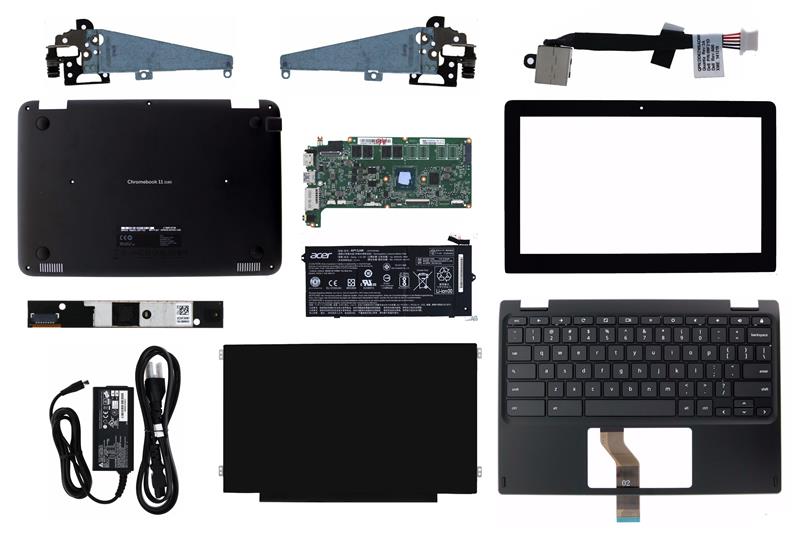
Businesses have also started adopting Chromebooks, particularly those that rely on cloud-based workflows. With Google Workspace, which includes Gmail, Google Docs, Sheets, Slides, and Meet, employees can collaborate efficiently in real time. Chromebooks reduce IT costs because they require minimal maintenance and are easy to deploy at scale. The introduction of Chromebook Enterprise has given businesses more advanced management features, including control over device settings and enhanced security. For companies seeking cost-effective, secure, and collaborative devices, Chromebooks provide a practical solution.
Chrome vs Laptop

When comparing ChromeOS devices, commonly known as Chromebooks, with traditional laptops running Windows or macOS, the main differences lie in their operating systems, software availability, and intended use. Chromebooks are designed for speed, security, and simplicity, relying heavily on cloud computing and web-based applications. Traditional laptops, on the other hand, offer broader compatibility with offline software, high-end gaming, and advanced creative applications. Chromebooks excel in affordability, long battery life, and integration with Google services, while laptops provide more raw power and flexibility. The choice between the two depends largely on the user’s needs: those focused on web browsing, communication, and light productivity may prefer a Chromebook, while professionals requiring specialized software or intensive processing typically choose a traditional laptop.
The comparison between Chromebooks and traditional laptops highlights the differences in design, performance, and purpose.
| Feature | Chromebook | Traditional Laptop |
|---|---|---|
| Operating System | ChromeOS | Windows or macOS |
| Price Range | $200–$700 | $500–$2000 |
| Security | Automatic updates, built-in protection | Requires antivirus and manual updates |
| Performance | Optimized for web apps | Handles all types of software |
| Offline Capabilities | Limited but improving | Full offline functionality |
| Gaming | Limited, cloud-based gaming only | Supports high-end gaming |
| Battery Life | 8–12 hours | 4–8 hours |
Handling and Performance of Chromebooks
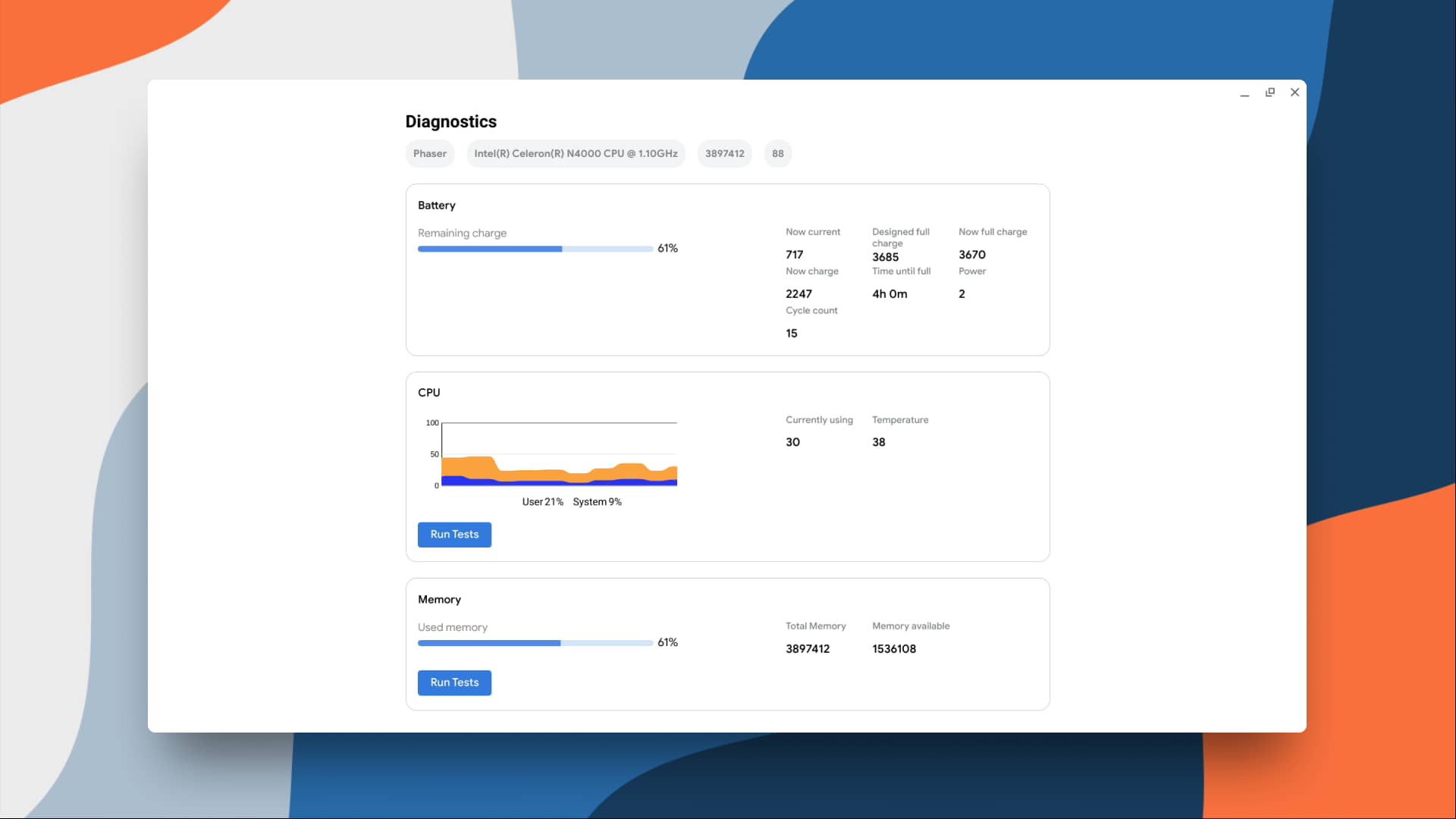
Handling a Chromebook is intuitive, particularly for users familiar with smartphones and tablets. ChromeOS provides a clean interface, with most functions accessed through the Chrome browser or app launcher. Performance varies depending on the model. Entry-level Chromebooks typically feature ARM processors or Intel Celeron chips, which are adequate for browsing, streaming, and document editing. Mid-range Chromebooks include Intel Core i3 or AMD Ryzen processors, offering better multitasking capabilities. Premium Chromebooks, such as the Pixelbook Go or Acer Spin series, come with Intel Core i5 or i7 processors, delivering higher performance suitable for professionals. Chromebooks are also available in 2-in-1 convertible models with touchscreens, providing flexibility between laptop and tablet modes.
Popular Chromebook Models
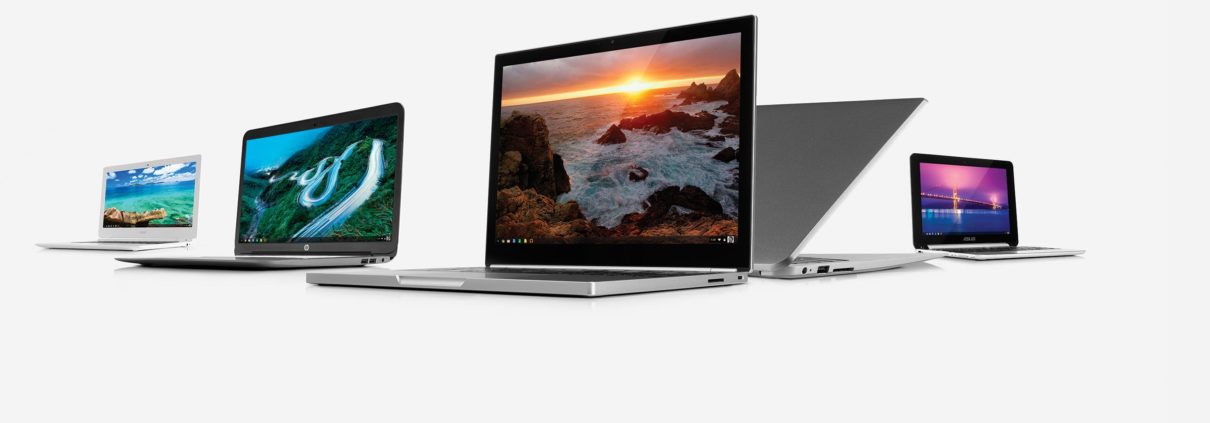
Several Chromebook models have become popular across different price ranges. The Lenovo Chromebook Duet is an affordable 2-in-1 option ideal for students and casual users. The Acer Chromebook Spin 713 is praised for its strong performance and high-resolution touchscreen. Samsung’s Galaxy Chromebook 2 combines premium design with productivity features. Google’s own Pixelbook Go represents the premium end of the market, offering excellent build quality, strong performance, and long battery life. Each of these models demonstrates the versatility of Chromebooks, showing they can serve budget-conscious buyers as well as professionals seeking advanced features.
Chromebooks and Cloud Computing
Cloud computing is central to the Chromebook experience. Files are primarily stored on Google Drive, reducing reliance on local storage. This makes it easier for users to access their documents and applications from any device with internet access. Chromebooks also support third-party cloud platforms such as Microsoft OneDrive and Dropbox, expanding flexibility for users who prefer different ecosystems. The reliance on the cloud reduces hardware requirements, which is why Chromebooks can remain affordable while still delivering good performance. This model of computing also ensures greater security, since files stored in the cloud are less vulnerable to local hardware failures.
The Future of Chromebooks

The future of Chromebooks appears promising as they continue to expand in education, business, and consumer markets. With advancements in hardware, high-performance Chromebooks are expected to appeal to professionals and developers. Cloud gaming services may improve the Chromebook’s gaming appeal, while enhanced offline capabilities will make them more versatile. The increasing adoption of cloud-first workflows by businesses ensures that Chromebooks will remain relevant. As more software providers shift to web-based platforms, Chromebooks will become even more capable of meeting user needs. Google’s continuous development of ChromeOS and partnerships with hardware manufacturers indicate that Chromebooks will continue to grow as a mainstream computing option.
Conclusion
Chromebooks have transformed from simple browser-based machines into versatile devices capable of serving students, professionals, and everyday users. Their strengths lie in affordability, security, simplicity, and integration with cloud computing. While they may not replace high-performance laptops for gaming or specialized software, they are an excellent choice for users who prioritize speed, efficiency, and collaboration. Whether in education, business, or personal use, Chromebooks represent a modern approach to computing that aligns with the growing reliance on online applications and cloud storage.